
Custom Crosshair Menu
Create the Perfect Aim Experience with Crosshair
Every player has a different aiming style. A fixed crosshair may work for some, but competitive players often want complete control over its appearance and behavior. Crosshair gives your community the freedom to build, customize, and save the perfect crosshair with a feature-rich and highly optimized system.
Unlimited Presets and Profiles
Why settle for a single crosshair? With the built-in Limitless Save System, players can create and store unlimited presets for different weapons, playstyles, or game modes. Switching between profiles takes only seconds.
Complete Visual Customization
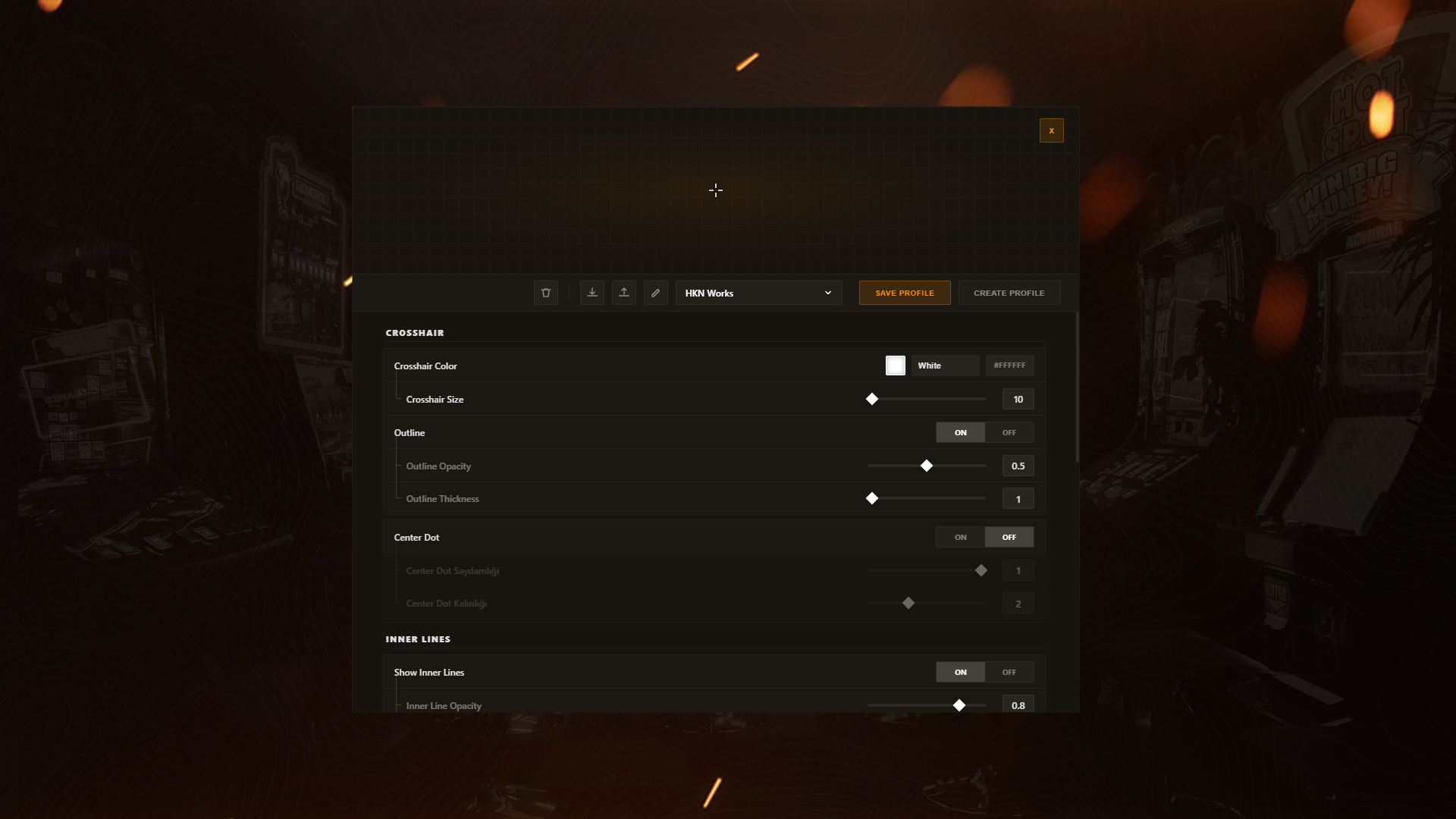
Design your crosshair exactly the way you want it. Adjust every important visual element, including:
- Inner and outer lines
- Center dot
- Opacity
- Thickness
- Offset
- Overall appearance
Whether you prefer a minimal competitive crosshair or a bold custom design, every detail is under your control.
Dynamic Accuracy Simulation
Take realism to the next level with Dynamic Crosshair Error. The crosshair reacts to movement and weapon firing using configurable error multipliers, creating a more immersive and skill-based shooting experience.
Share and Import Custom Crosshairs
Players can easily import or export their favorite crosshair setups using JSON files, game-specific codes, or command-based sharing systems. This makes sharing professional or community-made presets quick and effortless.
Custom Image Crosshairs
Want something truly unique? Crosshair supports custom image crosshairs via URL, allowing players to use their own designs instead of traditional shapes and create a completely personalized aiming experience.
Built for Performance
Despite offering extensive customization, the script remains lightweight and fully optimized. As a standalone resource with a responsive interface, it delivers a smooth experience without unnecessary resource consumption.
Easy Access Anytime
Players can instantly enable or disable the crosshair using configurable keybinds or commands, making the system convenient for every playstyle.
Why Choose Crosshair?
- Unlimited presets and profile system
- Fully customizable visual settings
- Dynamic movement and firing error simulation
- Import and export profiles with JSON or game codes
- Support for custom image crosshairs via URL
- Configurable keybinds and commands
- Standalone installation
- Responsive and modern interface
- Fully optimized for maximum performance
- Multi-language support, including English, Turkish, and more
Whether your community focuses on competitive gameplay, roleplay, or casual shooting, Crosshair provides a powerful, flexible, and professional aiming customization system that every player can make their own.